
Dependencies
The Dependencies view draws a Task Hub’s work items as tiles, and the links between them as arrows, so you can see what’s waiting on what before it holds up a plan. It sits between Timeline and Summary in the view tabs.
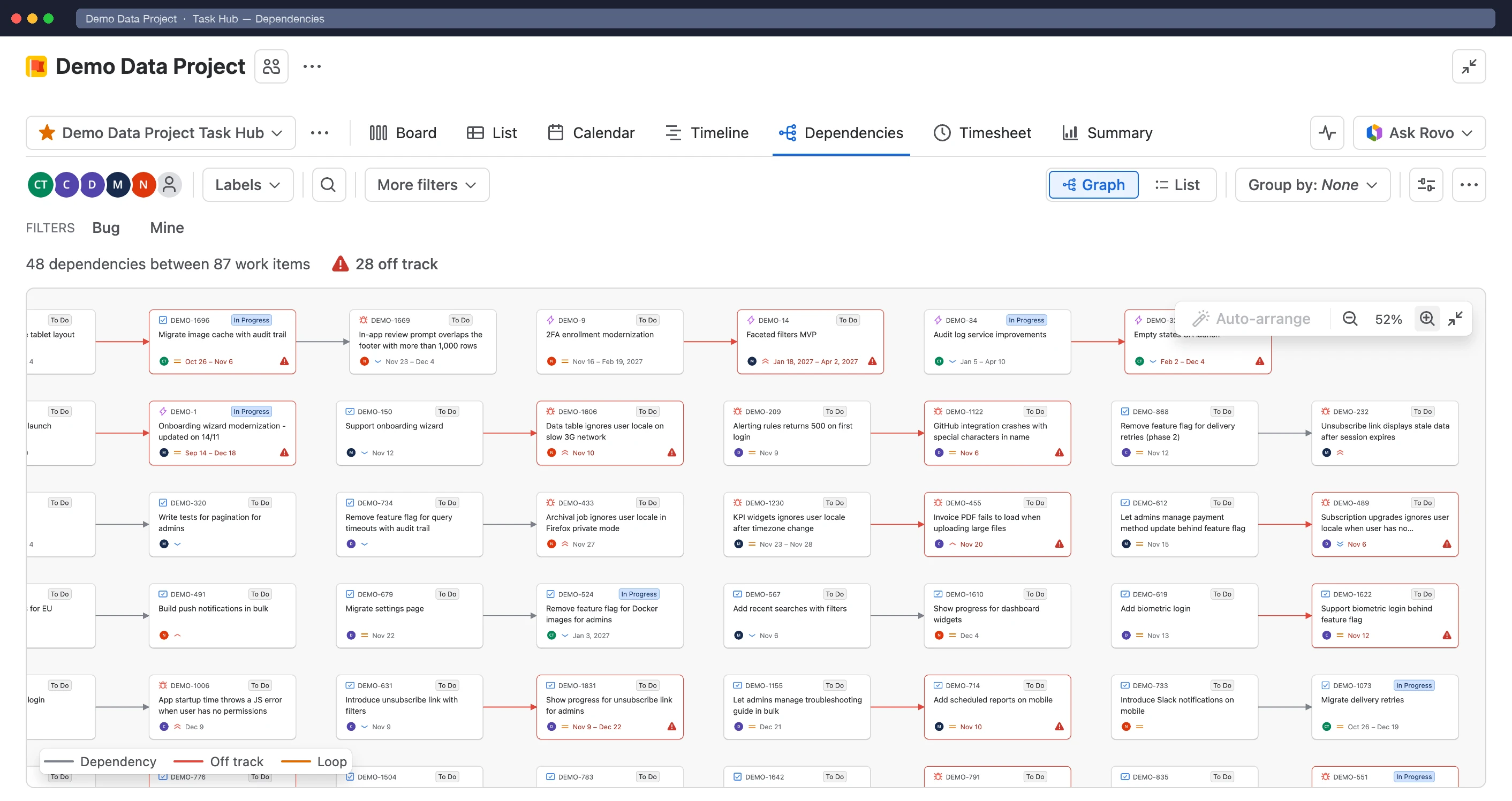
Which links count as dependencies, for example Blocks, is set in Configure › Hierarchy & dependencies.
Read the map
Section titled “Read the map”The line above the map counts the dependencies, how many are off track and how many work items are in a loop.
- Off track: the waiting work starts before the work it waits for ends.
- Loop: work items that wait on each other in a circle, so none of them can start.
- Outside this Task Hub: work items outside the Task Hub’s scope are drawn as dashed tiles, so you still see what your work waits on.
Hover a tile to light up its whole chain and dim the rest. Drag the background to pan, and use Zoom in, Zoom out and Fit to screen in the corner of the map, or Ctrl/⌘ + scroll to zoom. Drag tiles to arrange them; Auto-arrange tidies the map up again.
Act on a dependency
Section titled “Act on a dependency”- Select an off-track arrow to see why it’s off track. Select Reschedule to move the waiting work to the working day after the work it waits for ends, keeping its length in working days. Done work is never offered a reschedule.
- Select Remove dependency in an arrow’s popup to delete the link in Jira.
- Drag the dot on a tile’s edge onto another tile to create a link between them.
- Open a tile’s ••• menu and select Show only its dependencies to hide everything else. The chip at the top shows the filter; select × to clear it.
View settings
Section titled “View settings”Switch between Graph and List in the toolbar. The list has sortable columns and shows Dates unknown for work outside the Task Hub.
- Dependencies between: Work items, or Parents to roll dependencies up to epics and above (drawn dotted, marked Rolled up).
- Only off-track dependencies, Work items without dependencies and Work items outside this Task Hub.
- Completed work: all of it, only what finished in the last 2 weeks, month or 3 months, or none.
- Display fields on the tiles, and Group by to split the map into lanes, for example by assignee.
Export
Section titled “Export”Open ••• › Export to download the dependencies shown as an image, Excel (.xlsx) or CSV.
Ask Rovo
Section titled “Ask Rovo”On sites with Rovo, Ask Rovo in a tile’s menu or an off-track arrow’s popup asks the Task Hub assistant what the work is waiting for and how to fix it.