
Timeline
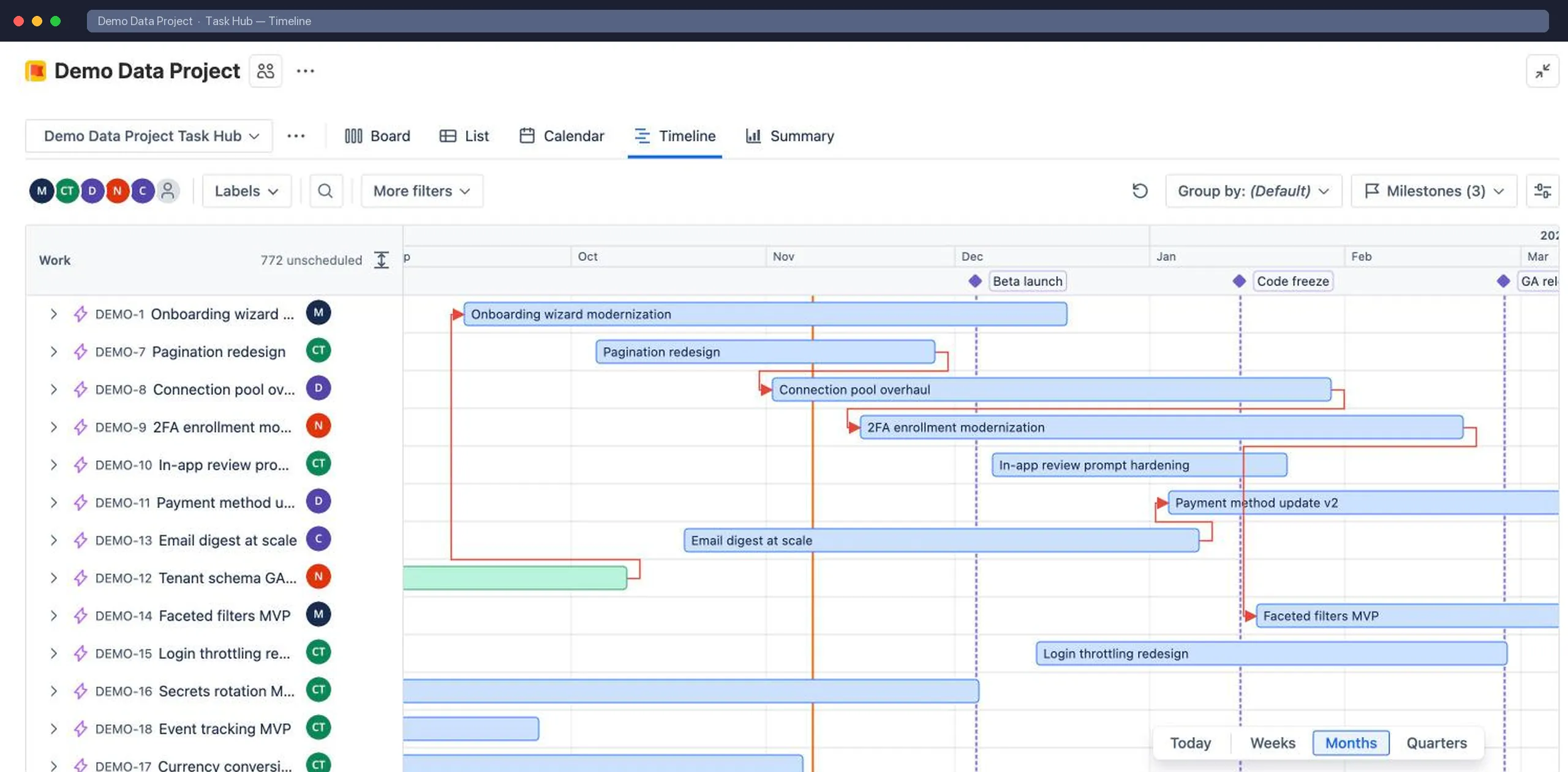
The Timeline shows work items as bars between their start and due dates, grouped and nested like the List.
Plan with bars
Section titled “Plan with bars”- Drag a bar to move it. Drag either end to change the start or due date.
- Click an empty row to give an undated work item dates.
- Drag a row to reorder it, or drop it onto another row to make it a child.
- Add child work items directly from a parent row.
Dependencies
Section titled “Dependencies”Work item links such as blocks are drawn as dependency lines between bars, so you can see what’s waiting on what. Turn them on or off in View settings.
Milestones
Section titled “Milestones”Select Milestones to add named dates, such as a launch, a code freeze or a review. They appear as markers across the whole timeline. Only Task Hub admins can add or edit milestones.
Zoom and navigation
Section titled “Zoom and navigation”- Switch the scale between Weeks, Months and Quarters.
- Use Expand all and Collapse all to control the hierarchy.
- Filter and group exactly as you would in the List view.